



Just on your Mac.
Start with local lists. No sign-up, no custom account, and no developer-run cloud service holding your tasks.
Simple, standalone, yours. AnxietyTODO
A small app for a full day
A quiet home for the things you need to do.
Right there in your Mac’s menu bar.

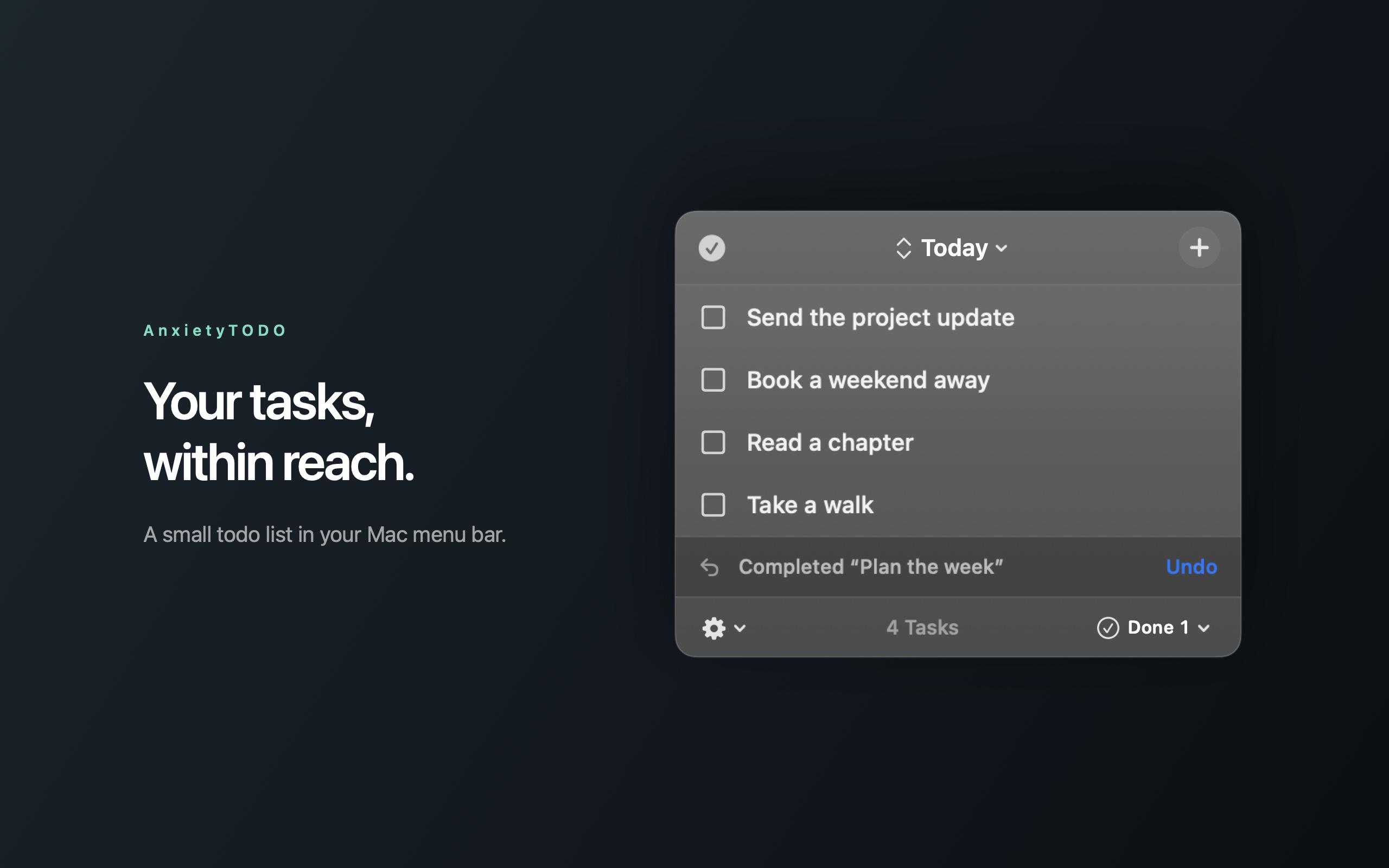
 Completed “Plan the week”
Completed tasks in this sample list will be deleted. You can undo this change.
A little list, right where it belongs.Interactive browser recreation · sample tasks · nothing is saved
01 / Room to think
Some things just need to be written down. And then done.
Click the menu-bar icon, jot down a task, and get back to what you were doing. AnxietyTODO stays out of the Dock and close at hand.
Catch the thought. Add a task without opening a full task manager.
Enjoy the little finish. Check things off, then show your done tasks whenever you like.
Leave room for second thoughts. Edit task titles and undo your last supported change.
Small by design
A compact, native macOS list.
No browser tab needed.
02 / Keep it your way
Reminders access is optional. Synced deletions affect the connected Reminders list, require confirmation, and cannot be undone in AnxietyTODO. How sync works
03 / Keep the little things simple
Coming to the Mac App Store.
Buy once and make a little room in your day.
Planned launch offer
US$0.99
For the first 14 days after public release.
Then US$2.99, one time.
Launch date to be announced. The App Store will show the final price for your region.
A few good questions
In your Mac’s menu bar. Click its icon to show your list; click away to tuck it back. It doesn’t keep a Dock icon or a large task-management window open. You can also enable launch at login.
No. You can use local lists entirely on your Mac. Reminders sync is an optional mode that asks for your permission before connecting.
No. Its sample tasks live only in this page’s memory. Refreshing or resetting clears your changes. It does not connect to the Mac app or Apple Reminders.
Undo restores your last supported task change, such as a local edit or completion. It is one level, not a full history. Deleting synced Reminders is confirmed separately and cannot be undone in the app.
AnxietyTODO requires macOS 13 or later. The app is built for both Apple silicon and Intel Macs.
Benjamin Burdick, an independent developer. Have a question or found a problem? Email bburdick@gmail.com. AnxietyTODO is an independent product, not affiliated with Apple.
A little more space for everything else.
Try the little preview